
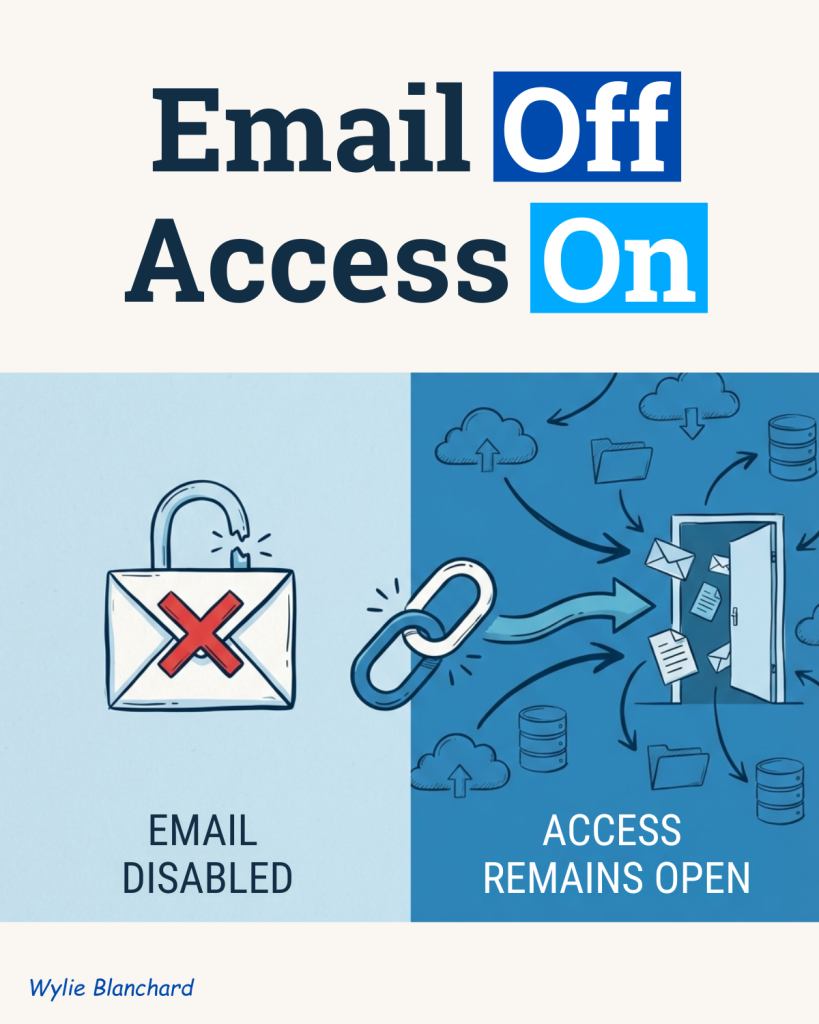
Many organizations treat offboarding like an account shutdown exercise. HR processes the exit. IT disables the email account. The identity record is turned off, and the team moves on.
That sounds complete, but it often is not.
In healthcare, education, and nonprofit environments, the bigger risk usually sits beyond the main account. Access can remain in shared drives, cloud apps, finance tools, vendor portals, and local systems that were never tied back to a central process in the first place.
That is where offboarding breaks down.
Offboarding has three separate control points
A clean exit process should cover three things:
Identity
Who the person is in the system.
Access
What systems and permissions they still have.
Data
What records, files, messages, or histories they can still reach.
Many teams handle the first one well. Fewer handle the second and third with the same discipline.
That gap matters because disabling identity does not always remove downstream access. A person can lose their primary login and still have active permissions in other places. In some cases, those paths remain open for weeks or months.
Where the gap shows up first
This problem tends to surface in the same types of systems:
- Shared drives that contain patient, student, donor, or staff records
- Financial platforms where approval rights were never fully removed
- Vendor portals tied to an old inbox or a personal credential
- Cloud applications authenticated outside the company’s single sign-on process
- Collaboration platforms that still hold sensitive conversations and files
- Password managers or shared service accounts
- Local accounts created outside the HR and IT workflow
These are not edge cases. They are predictable misses.
The common thread is simple: anything outside your standard identity process is easier to overlook.
Why this keeps happening
Most offboarding gaps are not the result of bad intent. They are the result of fragmented ownership.
HR may own the separation workflow. IT may own the directory account. Security may review logs. Department leaders may know which tools the person actually used. Finance may control a separate approval platform. Operations may rely on local accounts no one formally tracks.
When nobody owns the full picture, controls become partial by default.
That is why organizations often think they have an offboarding process when what they really have is a series of disconnected actions.
A simple 90-day audit can tell you the truth
If you want a fast reality check, start with your last 90 days of terminations.
Use a simple review process:
- Pull the list of employees or contractors who exited in the last 90 days.
- Identify your 10 most critical systems.
- Pull last-login or activity reports for those former users.
- Compare any activity dates to the user’s exit date.
If a former employee still shows activity after separation, you likely have a control gap.
There is another signal to watch for: if a system cannot produce a reliable last-login report, that is a risk in itself. You cannot verify removal if you cannot verify access.
What stronger offboarding looks like
A better process does not need to be complicated. It does need clear ownership.
A practical model looks like this:
1. Identity: one stop point
Use a central identity process, ideally through single sign-on, as the trigger for offboarding. The goal is one reliable action that starts the shutdown sequence.
2. Access: role-based removal
Different jobs create different access footprints. A nurse, controller, case manager, registrar, and operations lead should not all use the same offboarding checklist. Build role-based checklists for the systems and privileges tied to each function.
3. Data: named owner confirmation
Every critical application should have a named owner. That owner should confirm access removal, transfer of files, and disposition of shared records within a defined window, such as 24 hours.
This shifts offboarding from assumption to accountability.
Why regulated organizations should care more
In regulated environments, offboarding is not just an IT housekeeping issue.
Healthcare organizations manage protected health information. Education organizations manage student records. Nonprofits often handle donor, program, financial, and beneficiary data across a wide mix of systems. When access does not match current employment or current role, the issue quickly moves beyond operations and into audit, privacy, and governance territory.
The risk is not only that a former employee can still get in.
The larger concern is that excess access often exists across the board. If former staff still have permissions, current staff may also have access they no longer need. That points to a broader access governance problem, not a one-off offboarding miss.
Questions leaders should ask now
If you want a stronger handle on this issue, start with five questions:
- Which systems are included in our offboarding process today, and which are outside it?
- Can we see last-login activity for every critical application?
- Do we have role-based offboarding checklists, or just a generic termination ticket?
- Does every critical system have a named business owner?
- How quickly do we confirm access removal after an exit?
These questions can reveal weaknesses fast.
Shutting off email is not the same thing as shutting off access.
A complete offboarding process covers identity, permissions, and data exposure. If even one of those areas is left open, the organization is carrying unnecessary risk.
Start with a 90-day review. Check terminated users against your most important systems. Look for post-exit activity. Then assign ownership where the process is still vague.
That one review can tell you whether your offboarding process is really closing the door, or just turning off the lights.